
eVisa
As of 2 June 2025, Biometric Residence Permits (BRPs) and Residence Cards are no longer accepted as travel documents. Please ensure you have a valid travel document, such as an eVisa, to enter the UK.
Online immigration status (eVisa)
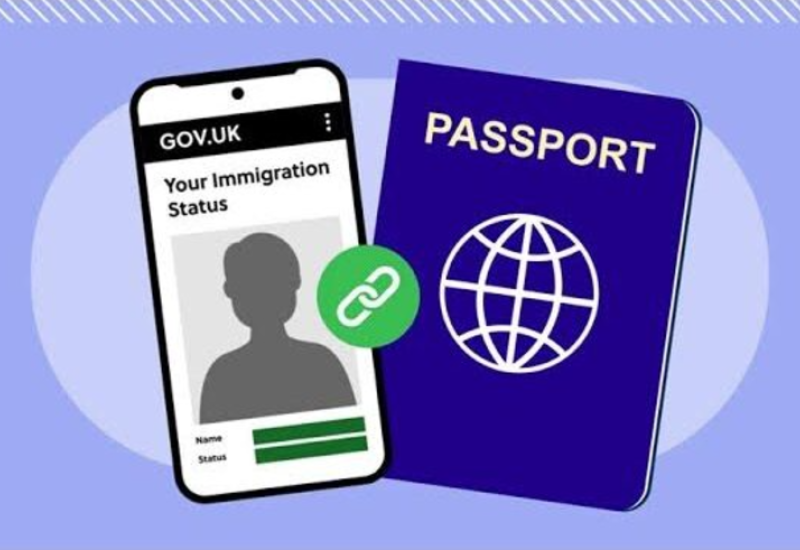
UK Visas and Immigration (UKVI) are developing a digital immigration system. This means they are replacing physical documents with an online record of your immigration status. This is known as an eVisa.
An eVisa is an online record of your immigration status and the conditions of your permission to enter or stay in the UK. Anyone who uses a physical immigration document, like a Biometric Residence Permit (BRP), to prove their immigration status and who don’t already have a UKVI account, will need to take action now to create a UKVI account to access their eVisa.
Updating your physical document to an eVisa does not affect your immigration status or the conditions of your permission to enter or stay in the UK.
Applying for eVisa
An eVisa is a digital record of a person’s immigration status. It removes the need for physical documents such as the biometric residence permit (BRP), passports containing a visa vignette sticker (a physical visa sticker in a passport) or an immigration ink stamp, or the biometric residence card (BRC).
To apply for eVisa, you need a UK Visas and Immigration (UKVI) account. If you do not already have one, you need to create it by confirming your identity using the ‘UK Immigration ID Check’ app.
You will need:
- access to a smartphone
- a mobile phone number
- an email address
- your BRP card, if you have it
- a valid passport with your BRP number, if you have it
- visa application number, if you have it
You start the process of applying for eVisa at https://www.gov.uk/get-access-evisa
You must give a phone number and email address you can use again as you’ll need them each time you use your eVisa to prove your immigration status online.
If you don’t have a BRP card / valid passport with your BRP number / visa application number you can still use this link.
Everyone who is not a British citizen, including those who have permanent status or indefinite leave to remain in the UK have to have e-visa from 1 January 2025. Some migrants, such as EU nationals with pre-settled and settled status, international students or those on a skilled worker visa, might already have e-visa and they do not need to apply for it again. Instead, they are being advised to check if their eVisa details are correct at Check your eVisa is correct . If you are unsure whether you already have a UKVI account and eVisa, you can check here on GOV.UK .
Yes, each person, even if it is a minor, must have their own separate UKVI account and set up their eVisa but you can use the same email address and phone number to set up and access eVisa for you and your child(ren). Here is more information on how to create a UKVI account for a child: Using your UK Visas and Immigration account - GOV.UK
The Home Office has updated its guidance on the Ukraine Permission Extension. This guidance clarifies how individuals can prove their rights to live, work, and access services in the UK while their application is being processed.
Your eVisa will show:
- The start date and expiry date of your previous permission.
- Additional information under your National Insurance number, confirming that: You retain the same rights as your original visa; You are allowed to remain in the UK until a decision is made on your application.
Customers who hold a BRP that expires on 31 December 2024, and who have immigration leave to be in the UK beyond this date, do not need to apply to renew their BRP, as all recently issued BRPs are due to expire on this date. Instead, these customers should follow the instructions below, or in the Home Office email sent to them, to create a UKVI account.
Creating a UKVI account is free, straightforward, and will not usually require BRP holders to send the Home Office either their passport or BRP.
- This applies even to customers recently issued with a BRP.
- In the meantime, customers can use their BRP as normal.
Once a customer with a BRP has created their UKVI account, they should update their account with any new passport or contact details. The 'Update your UK Visas and Immigration account details’ service is an online service available to customers who have a UKVI account, which enables them to update their details, including travel documents. The service can be accessed at Update your UK Visas and Immigration account details: Overview - GOV.UK (www.gov.uk).
You should keep your BRP card as you may need the reference number for future applications to stay in the UK.
These changes will bring significant benefits to customers who hold an immigration status in the UK:
• An eVisa cannot be lost, stolen or damaged.
• Customers can prove their rights instantly, accurately and securely to anyone who requests it while sharing only necessary information.
• It will prevent unnecessary delays when travelling internationally where customers travel using the passport/national identity document linked to their UKVI account.
• Customers can access many UK government services and benefits without needing to present proof of immigration status. This is because selected government departments and authorities can securely access immigration status information. Immigration data is held securely, and government will never sell customer data. Further information on how the Home Office handles customer data can be found here on GOV.UK.
If customers hold a BRP as well as an eVisa, then they do not need to create do anything to anything. Customers who already have an eVisa should ensure that their UKVI account is kept up to date with their latest contact information and any passport which they intend to travel with using the ‘Update your UK Visas and Immigration account details’ service at www.gov.uk/view-prove-immigration-status.
Yes, you can still apply for eVisa through the same link https://www.gov.uk/get-access-evisa but the process might be slightly different and you might need to take additional steps. The system will direct you based on the answers you select.
No, getting an eVisa is not compulsory as such, but failure to get one carries major risks, especially for proving your rights and international travel.
The expiry of BRP after 31 December 2024 does not affect your underlying immigration status and you will be allowed to prove your immigration status within the UK using their existing documents after 2024. However, you are strongly advised to apply for an eVisa as soon as possible.
You should take steps to create a UKVI account and access your eVisa as soon as possible to prevent any unnecessary delays in proving your rights.
You will still be able to create a UKVI account post-2024 using your expired BRP at www.gov.uk/eVisa.
As a transitional measure, the Home Office confirmed that they will allow carriers – such as airlines – to initially accept a biometric residence permit (BRP) or EU Settlement Scheme biometric residence card (EUSS BRC) which expires on or after 31 December 2024 as valid evidence of permission to travel. They intend this arrangement to be in place until 31 March 2025, but it will be kept under review.
BRP holders will also still be able to use the online right to work and rent services to prove their rights once their BRP expires – provided they still have valid immigration status.
Holders of legacy paper documents, including passports containing ink stamps and visa vignette stickers, can continue to use their physical document to prove their immigration status as they do today. However, they are encouraged to take action at www.gov.uk/eVisa in order to make use of the benefits and convenience that a UKVI account offers, and to reduce unnecessary delays when proving their status.
Maintaining access to eVisa
Yes – you need to make sure you keep details on the UKVI account up to date. If you change your phone number, e-mail address or get a new passport, you need to update your UKVI account. You can do this through this link: Update your UK Visas and Immigration account details: Overview - GOV.UK
When updating personal details, such as changing your name or adding nationality, you will be asked to send your passport to the Home Office for verification. Make sure you send it via a recorded delivery.
There are no immediate changes for those who check immigration statuses, including, carriers, employers and landlords. Status checkers should continue to accept the ‘share code’ to check someone’s status through the right to work, right to rent, and check immigration status services:
- Right to work: https://www.gov.uk/prove-right-to-work.
- Right to rent (in England only): www.gov.uk/prove-right-to-rent.
- Check immigration status: www.gov.uk/check-immigration-status.
Those checking can continue to accept valid physical documents in some circumstances.
Further information on this available at www.gov.uk/legal-right-work-uk for right to work checks and www.gov.uk/check-tenant-right-to-rent-documents for right to rent checks.
Before travelling, all eVisa holders, including children, must create a UKVI account to check their eVisa, update passport details and share their status, if needed, for example, to facilitate other countries at their entry or exit controls. You are advised to continue to carry your physical immigration documents (BRP) with you when travelling. If you’ve reported that you have a new passport and you’re still waiting for confirmation that your UKVI account has been updated, you should also carry your old document with you, if possible, to avoid delays at the border.
Making a new application for permission to come to the UK from 25 February 2026
You may not get a visa sticker if you make a successful application for a visit visa or some other visa types on or after 25 February 2026.
Instead, you will need to access your eVisa through your UKVI account to see the permission you have been granted before you travel to the UK.
You’ll be told how to access your eVisa and whether you’ll get a visa sticker.
If you’re outside the UK and unable to access your eVisa because you cannot create a UKVI account, and you have no other evidence of your existing permission, you should:
- Consider applying for a temporary visa (known as a BRP vignette transfer) to re-enter the UK once.
- Apply for a vignette transfer
If an airline, rail company, or other carrier is unable to verify your immigration status, they can contact the UK Border Force Carrier Support Hub for guidance. This is a 24/7 service for transport carriers only.
If you are having problems signing in to your UKVI account, you can recover the access through this link Recover your UK Visas and Immigration (UKVI) account - Recover account - GOV.UK
You can also contact the Resolution Centre or eVisa chat for help.
How do I share my immigration status and identity with banks?
Using your UKVI account sign in details, sign into the ‘View and Prove your immigration status: get a share code’ service, here: https://www.gov.uk/view-prove-immigration-status.
For accessing financial services, or other uses other than right to work or rent, you should choose the ‘Prove my immigration status for anything else’ option when getting your share code. The share code will start with a letter “S”.
Give the person or organisation who needs to check your status or identity the share code and your date of birth. They will check it using the ‘Check someone’s immigration status: use their share code’ service, here: https://www.gov.uk/check-immigration-status
Can an eVisa be used to prove my identity when opening a bank account?
An eVisa is acceptable evidence of identity under section 7 of the Identity Documents Act 2010. Organisations, such as banks, that need to check a person’s identity can do so, by inputting the person’s share code and date of birth at the ‘Check someone’s immigration status: use their share code service, here: https://www.gov.uk/check-immigration-status. The status screen will show a photo of you, your name, and date of birth.
Further resources
Step-by-step guidance on how to complete online account and access eVisa.
Take a look at frequently asked questions translated into Ukrainian - Opora UA | E-visa
The latest information on eVisas is available at www.gov.uk/evisa, and visitors to this webpage can register to receive updates whenever this page is updated. It will be updated throughout 2024.
Customers who already hold an eVisa but are not sure how to use it can find further information in their original grant letter or email or at www.gov.uk/guidance/using-your-uk-visas-and-immigration-account.
eVisa Help and Support

Report an error with your eVisa
If you notice any error in the following details on your eVisa:
- name
- sponsor reference
- photo
- National Insurance number
- visa restrictions - these say what you can and cannot do in the UK
- immigration status
- valid until date
Please use this service to correct them.
People without ID who have an account created by the Home Office can also use this service to update their email address and mobile number.
A list of local providers who can assist with eVisas is available on the GOV.UK website.
Please refer to the spreadsheet for national and Yorkshire & Humber support details.
National and Yorkshire & Humber support providers with eVisa
Got a question about your eVisa or UKVI account?
Use the eVisa Webchat to get help with accessing your status, updating details, or sharing your immigration status.
Please note: This service can’t answer visa application questions or correct eVisa errors.
The Home Office has launched a 24/7 passenger support helpline to assist travellers facing issues when checking in or boarding a plane, train, or ferry back to the UK. For guidance, you can contact UKVI staff at +44 (0)800 876 6921 or +44 (0)203 337 0927. While they cannot resolve technical issues or contact carriers directly, they can provide support with travel-related concerns. Save this number and download the eVisa bust card for additional travel support. It can be used to explain your rights if questioned about your eVisa by authorities.
Please note these times & dates are subject to change, so we can be flexible to accommodate demand.
To confirm a session or check the dates in your area, please contact Migrant Help's eVisa Team:
07483 170 100 / evisa@migranthelpuk.org
- Huddersfield (IASK)
Hudawi Centre, Huddersfield, HD1 6BG
Drop-in: Wednesdays, 1 – 4 PM
- Leeds (St Vincent’s Centre)
4 Berking Ave, Leeds, LS9 9LF
Drop-in: Thursdays, 10 AM – 1 PM
- Leeds (RETAS) – Appointments Required
233-237 Roundhay Road, Leeds, LS8 4HS
Mondays: 10:30 AM – 3:30 PM
Thursdays: 2 PM – 4 PM
Book an appointment: 0113 3805 630
Adults only – Under 18s should attend alternative clinics.
- Bradford (Bevan House Primary Care)
14 Piccadilly, Bradford, BD1 3LS
Drop-in: Every other Tuesday, 9:30 AM – 1 PM / Every other Wednesday, 10 AM – 12 PM
- York (Refugee Action York)
York St John University, Lord Mayor’s Walk, York, YO31 7EX
Drop-in: Every other Wednesday, 10 AM – 1 PM
- Sheffield (Victoria Hall)
Norfolk St, Sheffield, S1 2JB
Drop-in: Every other Wednesday, 1 – 4 PM
If you have problems with your digital visa or generating a share code, you should contact UK Visas and Immigration (UKVI) on 0300 790 6268 (select option 3) in the first instance.
If the issue continues, and you need to prove right to work or right to rent in the meantime, you can ask your employer or landlord to use alternative methods of checking your immigration status:
- Right to work – Employer’s Checking Service
- Right to rent – Landlord’s checking service
Yes, there are several alternative methods available for individuals who are unable to access or use their eVisa due to technical or data-related issues:
- Manual Checks by Local Authorities (LAs): LAs can contact the Home Office’s Status Verification, Enquiries and Checking (SVEC) service for urgent manual verification of immigration status.
- Landlord Checking Service: Landlords in England can verify an individual’s immigration status directly with the Home Office if a share code cannot be generated. Request a Home Office right to rent check – Request a right to rent check – GOV.UK
- Home Office Right to Work: Employers can request these checks if the individual is unable to generate a share code. Use the Employer Checking Service - GOV.UK
- Alternative Documents: Individuals may use physical documents such as:
- A passport with an endorsement stamp or vignette sticker
- An entry clearance vignette attached to a Form for Affixing the Visa (FAV)
- Valid BRP to evidence their immigration status
Individuals can report an error with their e-visa at Report an error with your eVisa - GOV.UK
Once a person has reported an error with their eVisa, they will receive an email notification when the error or issue has been resolved.
This can be an issue for Ukrainian nationals applying for visa extensions. While waiting for a decision, their updated status may not appear in their UKVI account. Recommended:
- Use Alternative Methods Listed Above: These include manual checks, alternative documents, and Home Office verification services.
- Check with Employers or Landlords: Individuals should confirm directly with the organisation what forms of proof are acceptable.
Local Authorities and Regional SMPs can to flag concerns relating to cases where there is an error on someone’s e-visa.
Escalation for Urgent Cases: If someone is at risk of eviction due to an unresolved eVisa error (e.g., unable to view eVisa, generate a share code, or biographical errors), and the issue was reported more than 10 working days ago, the case can be escalated to the Move On Team at: AsylumMoveOnOperations@homeoffice.gov.uk
Please note this escalation route is for cases relating to newly granted refugees who are due to be imminently evicted from HO accommodation, the eVisa error is a blocker to this and the error has been reported.
If issues are experienced when travelling, carriers can contact our 24/7 support hub to verify a passenger’s immigration status.
If you need help with your UKVI account or eVisa
Contact UK Visas and Immigration to get help with your UKVI account or guidance about how to access your eVisa.
If you are experiencing problems accessing or using your eVisa, there is an escalation service available.
For more information, please contact: admin@migrationyorkshire.org.uk
Information Last Updated on March 10, 2026
Updated guidance in the “What should you do when travelling in or out of the UK?” section.